Indexing Request Rejected in Google Search Console: 2026 Fixes
TL;DR
A rejected request usually points to URL eligibility, crawl access, canonical mismatch, server instability, or a temporary Google submission issue. Fix the indexability signal first, validate the live URL, then retry after Google can fetch a clean page.
A rejected indexing request is not a ranking problem; it means Google Search Console could not accept or process the URL Inspection submission. Indexing request rejected: a Search Console response showing that Google did not queue the submitted URL for indexing. SERP research reviewed 97 results and 5 competitors, with many forum threads lacking a clear diagnostic order.
Table of Contents
Why Google rejects an indexing request
Google rejects an indexing request when the submitted URL is unavailable, blocked, non-indexable, conflicted by canonical signals, or caught in a temporary submission issue. In 2026, Search Console still depends on live crawl eligibility, not just sitemap presence or publishing date.
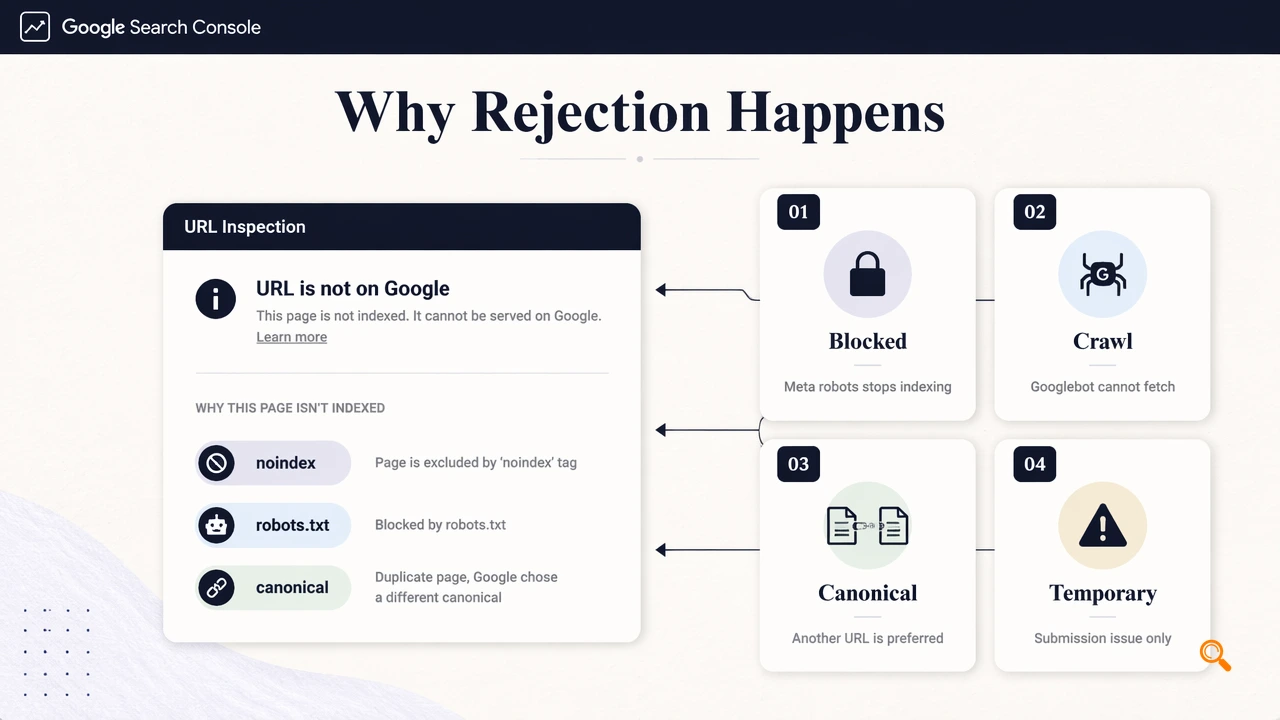
Common rejection causes by signal
| Signal checked | What to verify | Best next action |
|---|---|---|
noindex |
Meta robots or X-Robots-Tag blocks indexing |
Remove the directive, then recrawl |
robots.txt |
Googlebot is blocked from fetching | Allow crawl for the URL path |
| Canonical | Google sees another URL as preferred | Align canonical, internal links, and sitemap |
| HTTP status | 4xx, 5xx, redirect chains, or soft 404s | Return a stable 200 OK page |
| Google submission issue | URL is eligible, but request fails | Wait, then retry later |
HTTP status codes are standardized response categories maintained through IETF RFC processes, so server responses such as 404 and 500 are not SEO labels; they are fetch outcomes Google must interpret before indexing.
How to diagnose the rejected URL
A rejected URL should be diagnosed in the live URL view before another request is sent. Search Console's indexed data can lag, while the live test shows whether Googlebot can fetch, render, and evaluate the current version of the page.
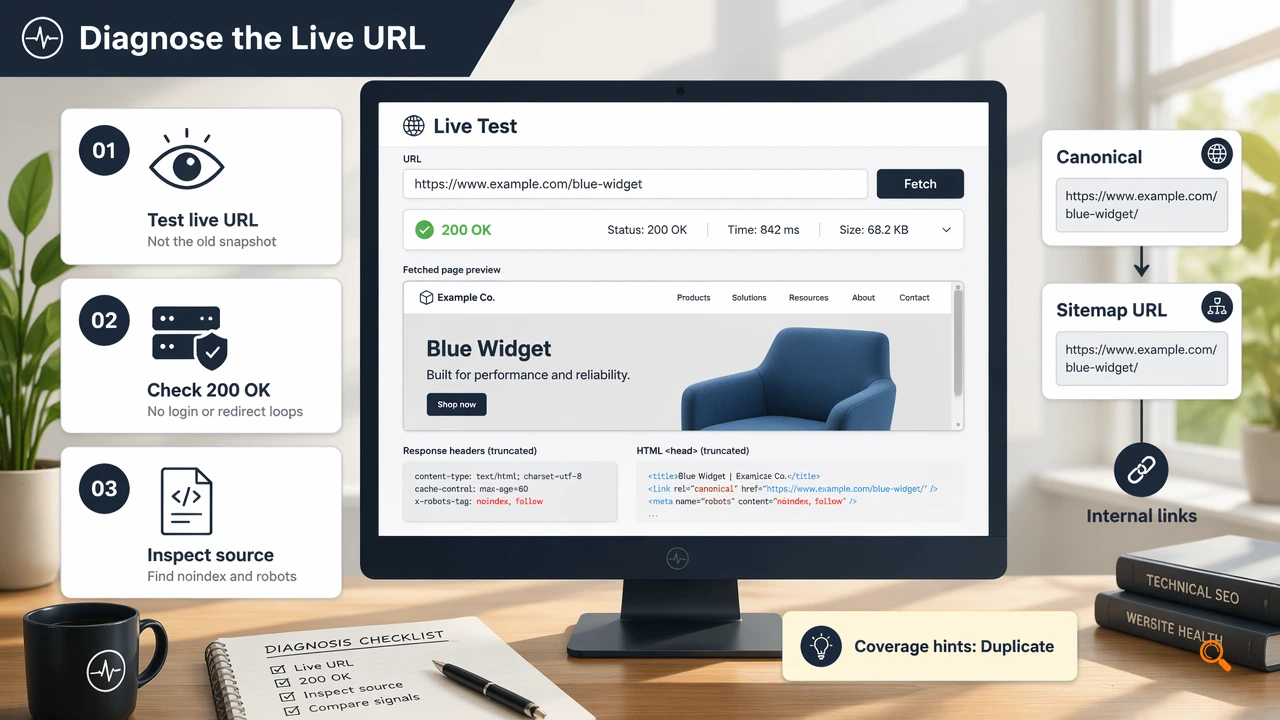
A short investigation workflow
- Test the live URL, not only the last indexed snapshot.
- Confirm the page returns
200 OKwithout login walls, geoblocks, or unstable redirects. - Check page source and headers for
noindex. - Inspect
robots.txtfor path-level Googlebot blocks. - Compare declared canonical, sitemap URL, and internal links.
- Review coverage hints such as "Duplicate" or "Alternate page with proper canonical tag."
- Retry only after the live test shows the URL is indexable.
Key insight: repeated submission does not override crawl blocks, canonical conflicts, or server errors.
For AI search visibility, clean indexation is only the first layer. A 2024 paper by Bolaños, Salatino, and Osborne on artificial intelligence for literature reviews highlights how AI systems rely on structured, traceable source material; pages that cannot be crawled are less likely to become usable evidence for AI summaries.
When to retry after fixing the issue
Retry timing should follow the type of fix, because Google needs a stable crawl path before a new indexing request has value. Fast retries make sense for a removed noindex; slower retries fit server instability, canonical cleanup, or large template changes.
Recommended retry cadence
- Temporary Search Console failure: wait a few hours, then submit again.
- Removed
noindexor robots block: validate the live URL, then request indexing. - Canonical conflict: update canonicals, sitemap, and internal links before retrying.
- 5xx errors or timeouts: wait until logs show stable Googlebot access.
- Bulk publishing: prioritize high-value URLs instead of resubmitting every page.
Clean crawl signals improve recrawl confidence across large sites, marketplaces, and programmatic SEO sections. Consistent templates, stable internal links, and accurate sitemaps reduce the need for manual URL Inspection submissions.
For scaled monitoring, Indexerhub helps SEO teams track indexation workflows across frequently updated sites without treating Search Console as a manual queue. The Indexerhub platform fits teams that need organized follow-up after URLs become crawlable; more information is available at indexerhub.com.
Conclusion
An indexing request rejected in Google Search Console should trigger diagnosis, not repeated clicking. The reliable sequence is eligibility first, live validation second, retry third. SEO teams should document the cause, fix the crawl signal, confirm a clean live test, then resubmit only the URLs that matter most.